

A rotation battle, recorded as it runs. Three of your team stand on the platform at once and ROTATE turns a new one to the front, which costs you the turn.
Paint a region tile by tile, then roll it into hills and cliffs. Fill it with buildings, trees and people, and write what they say when the player talks to them. Press Play to walk through it.
The editor draws the map the same way the game will, so the thing you are looking at while you build it is the thing your player gets.
Essentials has the deepest feature set of any fan toolkit, and ROM hacking gives you the original behaviour exactly. Tallgrass trades some of that maturity for a world you build in 3D and a project that stays yours afterwards.
| RPG Maker XPPokémon Essentials | ROM hackingEditing the original game | TallgrassThis project | |
|---|---|---|---|
| World | ~Mature editor, but 2D tilemaps only | ~Authentic maps, locked to the original format | ✓3D grid with elevation, cliffs and ramps |
| Pokémon systems | ✓Comprehensive and community-maintained | ✓The real thing, exactly as shipped | ✓All of them, and the battles match the originals |
| Changing the rules | ✓Open and edit the scripts | ✕Low-level work inside someone else's program | ✓Every rule is a text file in your project |
| Shipping it | ~Windows-first player | ✕A patch; players must own the original game | ✓A real app for macOS, Windows and Linux |
Scroll the table sideways →
The map, the database, your scripts and the tilesets sit behind tabs at the top. Moving between them takes a click.
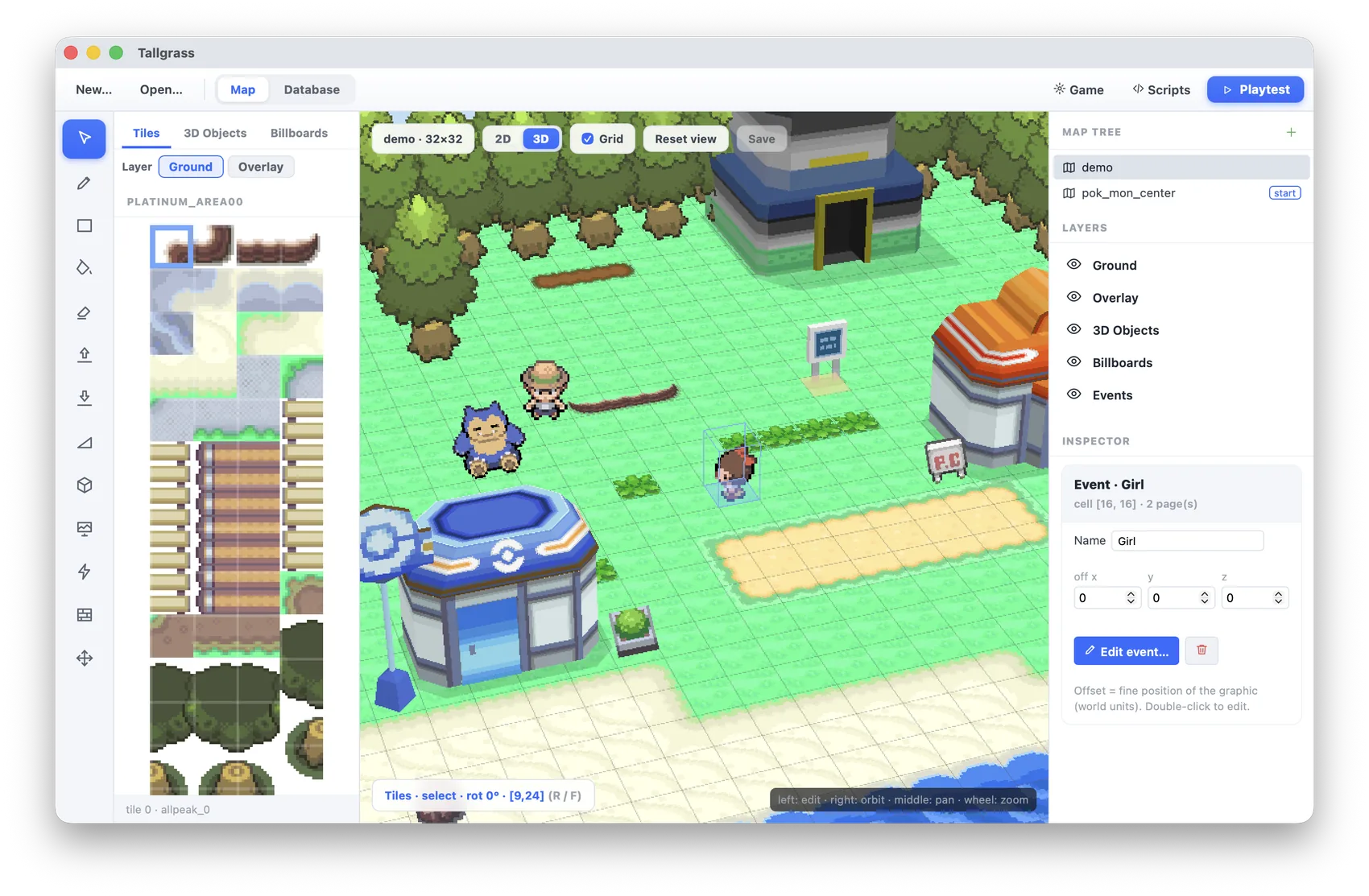
Map editor. Tools run along the top, with your maps and layers at one side and the tile palette at the other. The Hill brush rolls ground into slopes and lays the ramps itself; the Cliff brush raises a plateau and wraps it in real cliff pieces from the handheld games. Autotiles for grass, sea and flowers sit under the palette and join themselves up as you paint. The toolbar at the top of the view steps the light through dawn, noon, dusk and night.
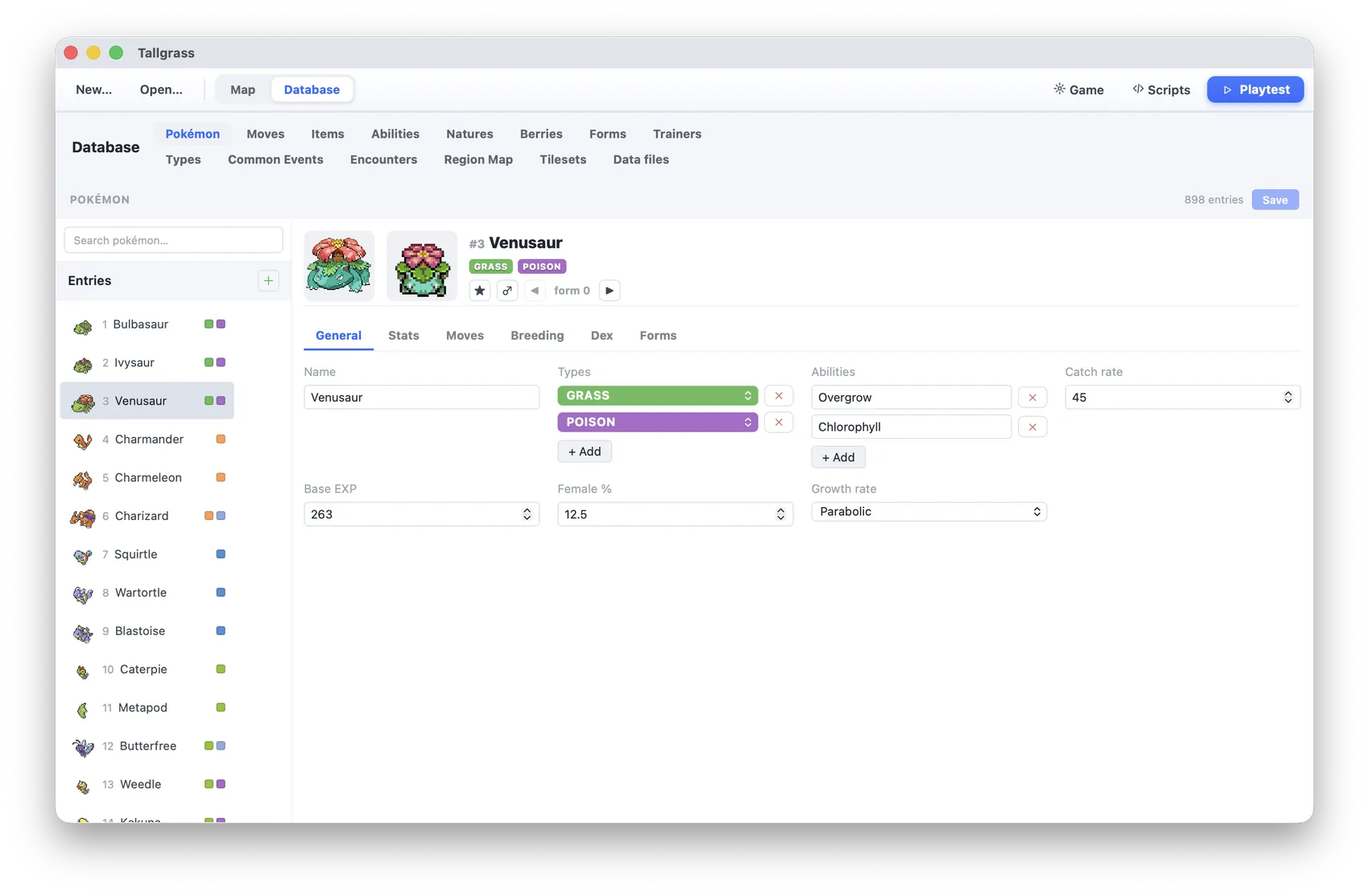
Database. Every creature, move, item, ability, nature and berry, plus trainers, the type chart, encounters and a region map you draw. A new project opens with all 898 entries already filled in, so you edit the ones you care about and leave the rest.
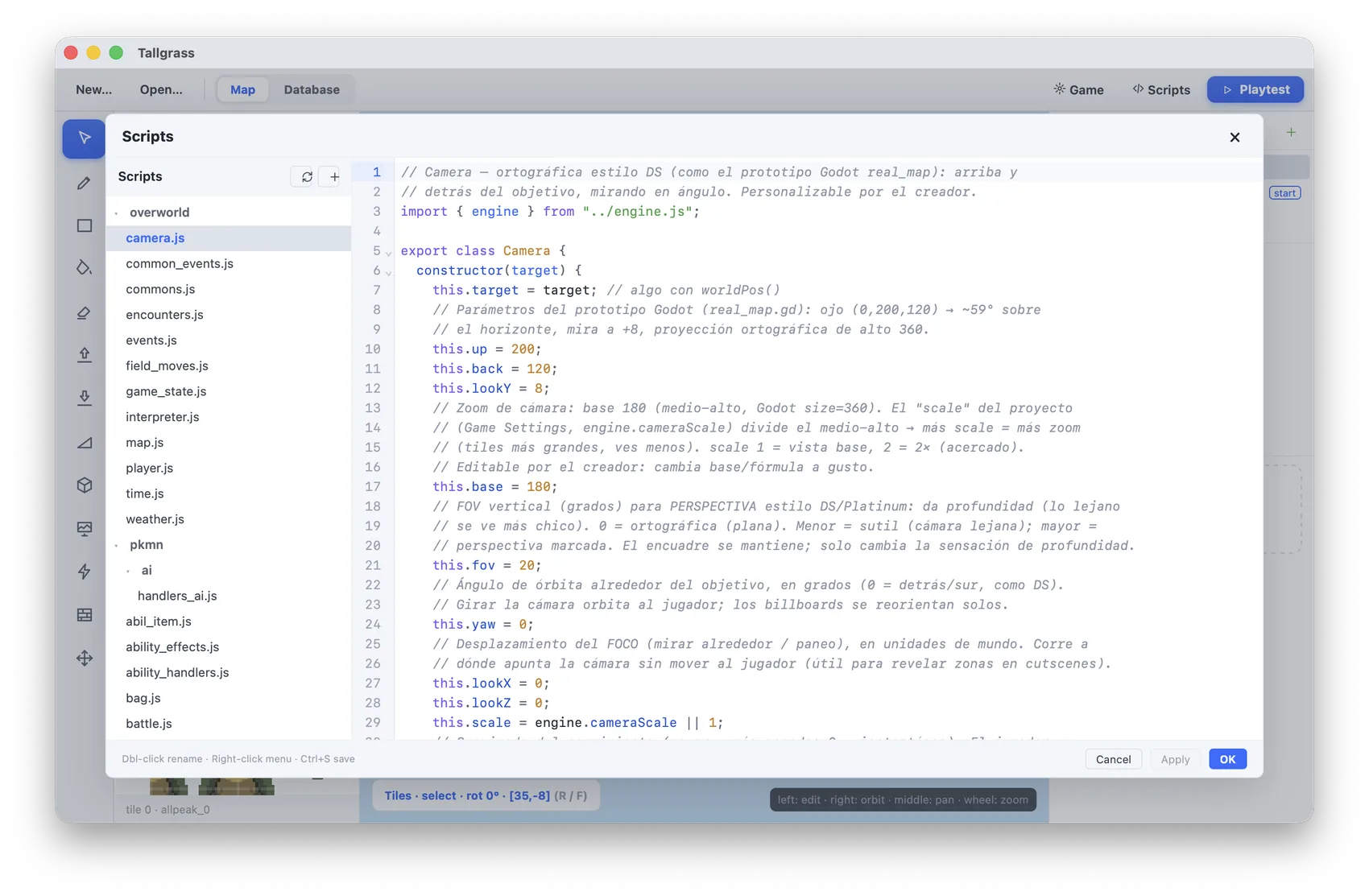
Scripts. The whole game layer sits in a file tree you can browse: the player, the camera, encounters, field moves, the follower, battles. Open a file, change a number, save. Plenty of projects leave this screen alone, and it waits here for the ones that do.
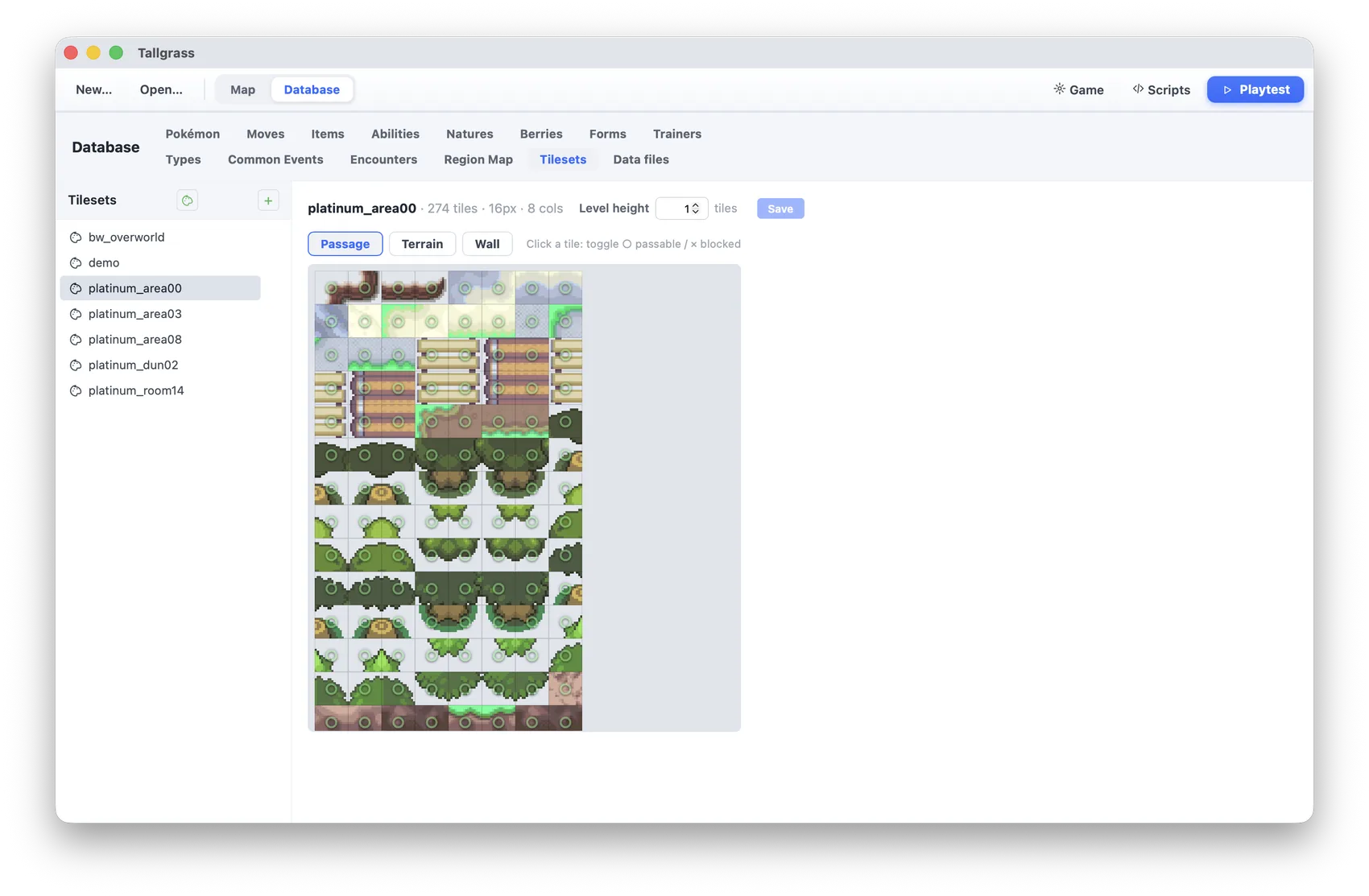
Tilesets. Mark which tiles can be walked on and what they are, with separate passes for edges, terrain and walls. One switch sets whether a height step raises the ground half a tile, the way the handhelds did, or a full one. The cliff sets from Platinum, HeartGold, Black and Black 2 are picked here, and the Cliff brush uses whichever you chose.
Every battle format the handhelds had, with the animations, the sounds and the timing that go with each move. These are recordings of the engine running.
How fast you walk, what slows you down in sand, which ground leaves footprints, how damage is worked out in a battle: each of those is a line in a text file inside your project. You can leave all of it alone and still finish a game.
The map is painted and the events are picked from menus. A complete game can come out of that alone.
Any system can be opened and changed, then reloaded while the game is running.
Step timing, the half-tile height grid, daylight and battle maths all follow the handheld games closely.
Tilesets, character sprites, buildings, music and the full creature roster come with it, so the first thing you open is a working world.
The rules already matched the originals. Now every move plays its own animation from those games, with their camera, their timing and their screens, in four battle formats.
All the moves play the animation they had in Black 2 and White 2, with the particles, sounds, backgrounds and camera moves of the original.
Trainers throw their Poké Balls, captures shake and break free, Substitute puts its doll in front, and each hit pauses and blinks before the HP bar drains.
Pick the format per trainer. In triples a move only reaches the Pokémon next to it; in rotations you spin a new one to the front.
Watch any move at quarter speed, follow the command that is playing, and change it with named options, colors and sliders instead of raw numbers.
A small world, a few characters who talk to you and the full creature roster are in there from the start. You change it from there.
Tallgrass is coming soon for macOS, Windows and Linux. News and updates go up on doranteseduardo.com.
The tools and the artwork are already here.